At an outdoor court
In summer games happen on outdoor courts: come at a busy time and ask who plays regularly.
Basketball
Short answer: pickup basketball is a court or a gym and a group that meets at the same time every week: 10 people for 5 on 5, and 15 with a third team waiting to rotate in. Look for such groups at gyms, outdoor courts and in local chats. Can’t find one? Start your own: a gym, a Telegram group and a bot that counts spots, runs the waitlist and splits players into teams.
In summer games happen on outdoor courts: come at a busy time and ask who plays regularly.
In winter people play in rented gyms. The staff know the groups that book the gym on weekday evenings and weekends.
Runs are organized in Telegram and WhatsApp. Look for basketball chats in your city and neighbourhood, ask in expat chats and at work.
5 on 5 is 10 people, and with a third team waiting — 15: losers go off, the next five come on. For 3 on 3, 6–9 people are enough.
for an hour and a half or two at a regular time. In summer — agree on an outdoor court.
and invite the people you’ve already played with. The first ten are usually among friends.
a recurring one — say, “every Thursday at 20:00”, 15 spots and the gym rent. The bot posts the card on schedule by itself.
The list and the waitlist are in the card. Before the game, the admin splits the players into three teams.

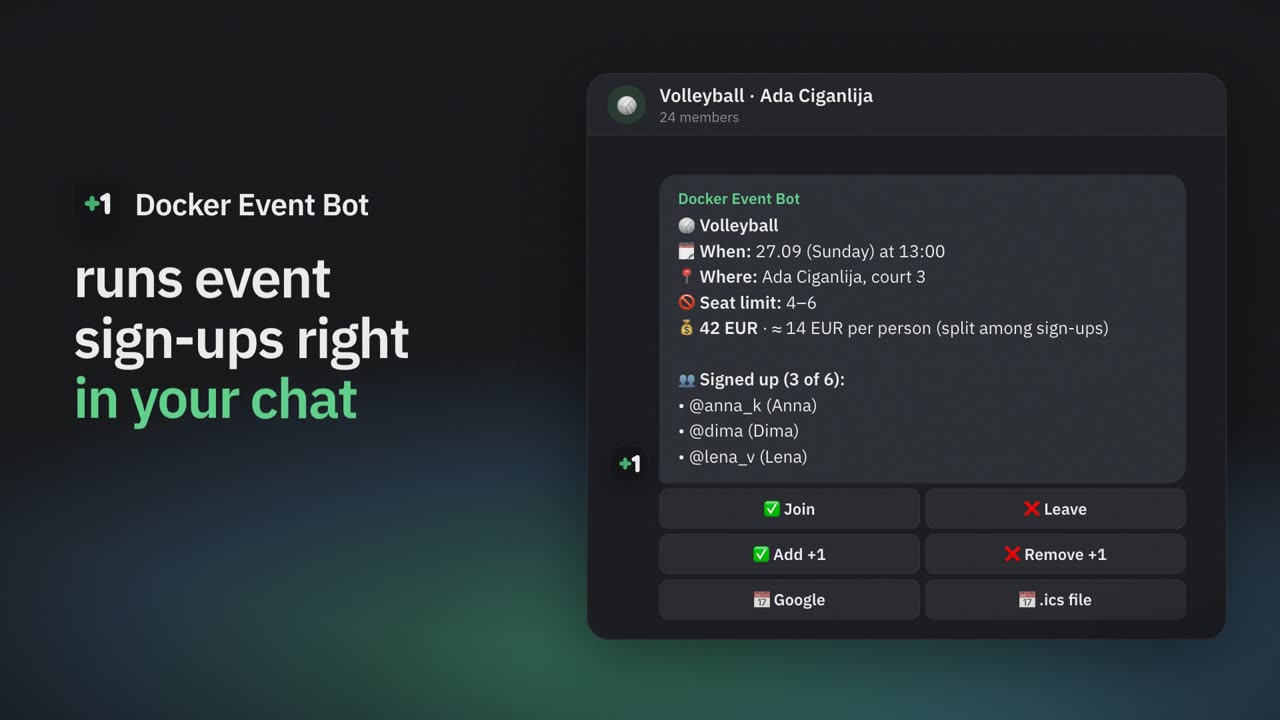
A game card: 12 of 15 signed up, including a friend added as “+1”, the gym rent split among everyone.
Set 10 or 15 spots — after that, the waitlist. A spot frees up — the next person gets it automatically, with a private message.
The admin splits the players into 2–3 teams — at random or evenly by level — and posts the line-ups in the chat. Everyone sees their team.
The gym rent is divided among those signed up, and the share recalculates by itself. Money doesn’t go through the bot.
Set a minimum, say 10. A day before, the organizer learns if there aren’t enough people.
Up to three reminders in private messages; moved or cancelled — everyone gets a message with what was and what is now.
For a tournament, turn on team sign-up: a captain creates a team, players join it, and the entry fee is split per team.
5 on 5 is 10 people, with a third team waiting — 15. Streetball 3 on 3 is 6, with a spare trio — 9.
Add Docker Event Bot to the group and create an event with the number of spots. A card with a “Join” button appears in the chat, and the list and waitlist update by themselves. All the ways compared — in the guide to sign-ups in Telegram groups.
Enter the rent — the card shows the share per person and recalculates it every time someone joins or leaves. You collect the money yourselves: the bot doesn’t take payments.
The admin splits the players right in the bot — at random or evenly by level. Without the bot — the free team generator.
Yes: no subscription and no payments through the bot. Players don’t install anything — Telegram is enough.
Add the bot to your basketball chat — the first sign-up card is a minute away.